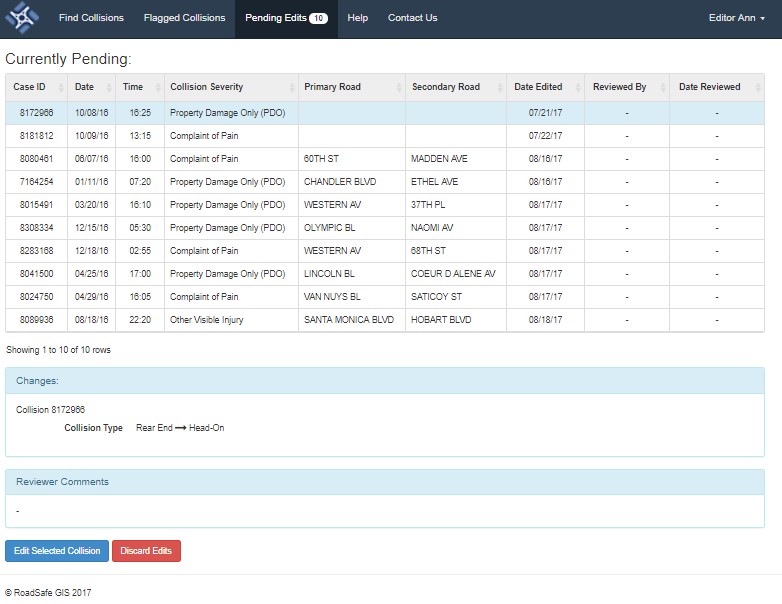
The Pending Edits tab shows a tabular view of collisions that have been changed by an editor and are awaiting approval by a manager. Once the record is clicked, it will be highlighted in light blue and will display the changes made to the fields in the collision record. The Figure below displays the edits table and an example record with the fields that were changed.
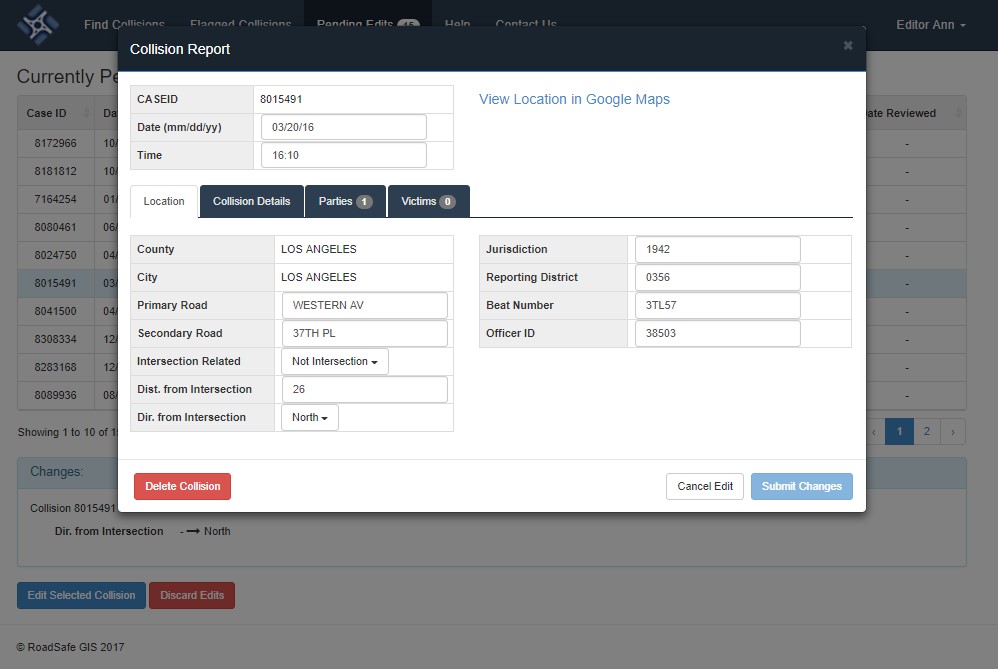
Additional changes to the record fields can be made by clicking the record and by selecting the blue button “Edit Selected Collision.” The collision record will display and the collision records field then can be edited. Once the edits are complete, the user can re-submit the changes back to the edits table by clicking the “Submit Changes” button or discard the current edit session by clicking the “Cancel Edit” button.