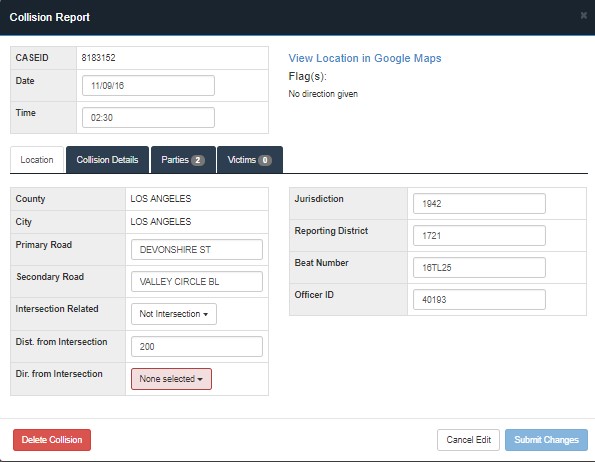
The collision report contains the Case ID, Date, Time, flags, and four Tabs detailing the Location, Collision Details, Parties, and Victim attributes. There is also a hyperlink on the top portion of the Collision Report page. The bottom of the Collision Report page contains three buttons that allow the editor or manager to delete, cancel edit, or submit changes made to the collision report. Each tab is a category of the collision report information. Once selected, highlighted boxes indicate flag that needs to be changed. Only the most common attribute fields are listed for each tab, but the full collision attribute field can be displayed by clicking on the “Show All” button on the bottom right corner for the Collision Details, Parties, and Victim tabs.